

Appendices for copyright records
Appendices are additional documents that may be incorporated into a previously published copyright record in order to expand, clarify, or reinforce the evidence of authorship.
Each appendix receives its own blockchain timestamp, providing verifiable proof of its existence and date without altering the original record.
This mechanism allows a registered work to evolve documentarily while maintaining a clear, verifiable, and legally robust history.
Purpose of appendices in Copyright
They allow documentation of:
- The creative evolution of a work.
- Previous versions and creation processes.
- Additional material that strengthens evidence of authorship.
- Changes, improvements, or extensions made after the original registration.
They are especially relevant in plagiarism disputes, copying claims, or to demonstrate the historical and progressive authorship of a work.
Types of files that may be attached
Music
- Demos
- Stems
- Scores
- Rehearsal recordings
Design and Illustration
- Sketches
- Color variations
- Mockups
- Source files (PSD, AI, SVG, among others)
Literature
- Drafts
- Removed chapters
- Author notes
Software (as an intellectual work)
- Code fragments
- Screenshots of previous versions
- Design documentation
Why and when to add an appendix
Adding an appendix strengthens the evidentiary value of the record, as each additional file receives its own blockchain timestamp, expanding the historical and legal backing of the work.
Appendices are particularly appropriate when:
- The work evolves or undergoes significant changes.
- New evidence related to its creation emerges.
- It is necessary to demonstrate the creative process or development timeline.
- A previous record must be reinforced without creating a new one.
Initiating an appendix registration
Appendix registration is always performed from an existing copyright record.
The process begins on the Registration page of enotar.io, where new records may be created or the “My Certificates” section may be accessed, listing all previously registered works.
Each work is displayed as an individual card. On the right-hand side of each card, an attach icon (+) allows initiation of the appendix registration process associated with that work.
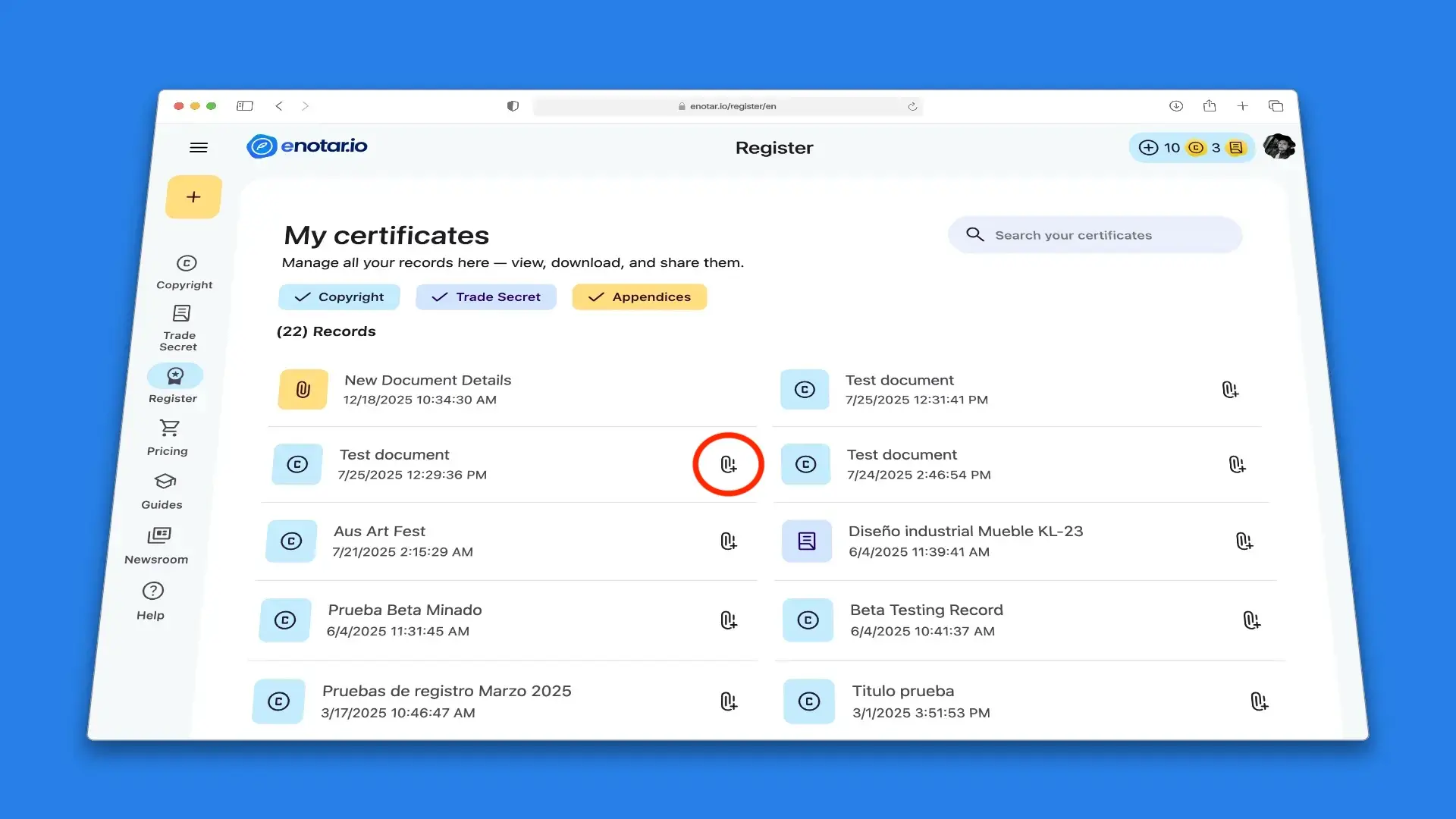
Registration page – My Certificates section
Selecting this option redirects to the checkout to acquire the service.
The established cost is USD $15 per appendix, and a single work may include multiple attached files.
Once payment is completed and the service is credited, access to the appendix registration tool is enabled.
Step-by-step guide to attaching an appendix to a record
Step 1 of 5 (Category selection)
The appendix category must be selected to contextualize the type of document and its purpose within the record.
Available categories include, among others:
- Non-disclosure agreement (NDA)
- Version
- Split sheet
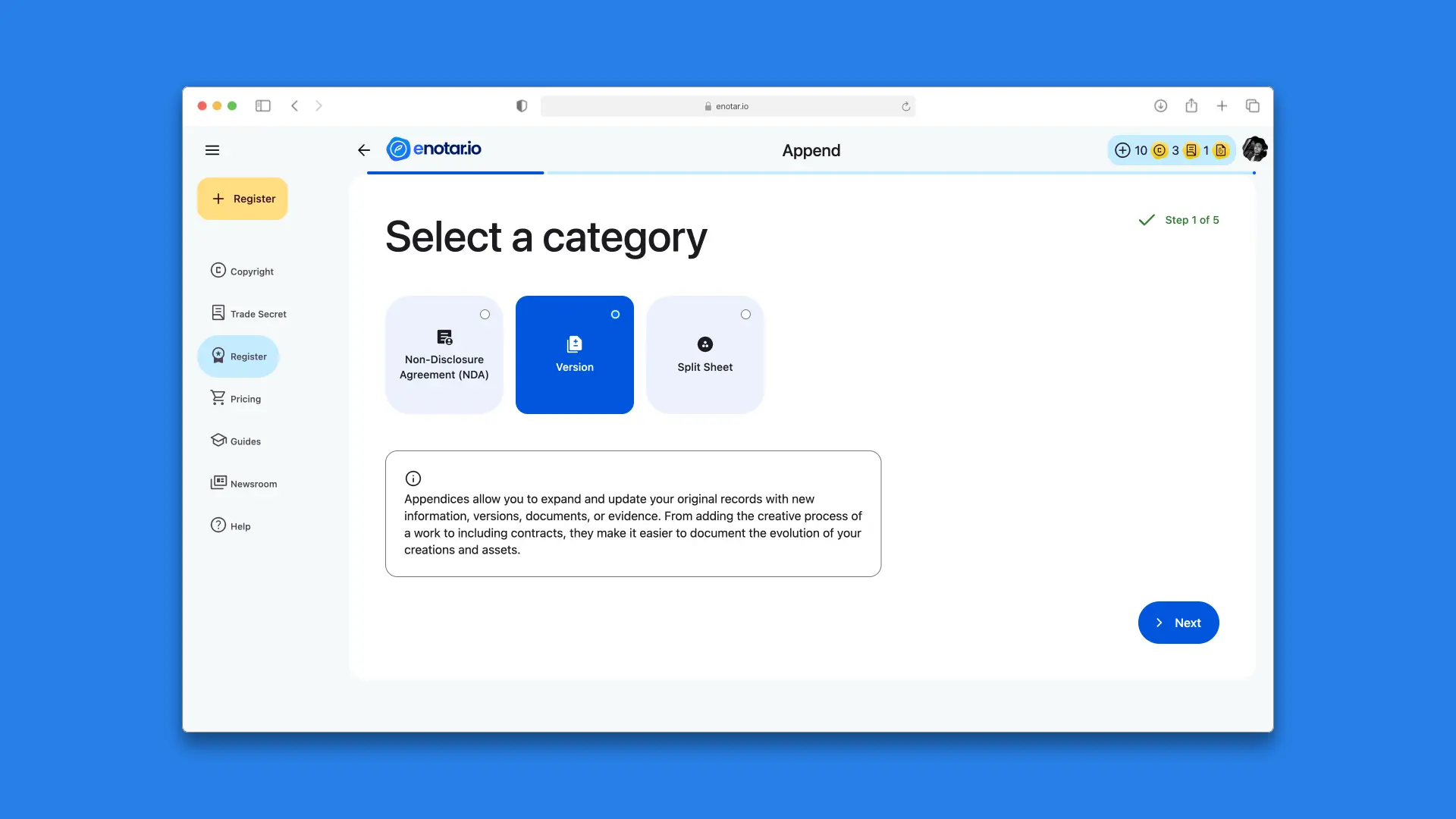
Step 1 of 5 screen (Category selection)
Step 2 of 5 (Linking to an existing record)
The original record to which the appendix will be associated must be selected.
The appendix becomes permanently linked to that record in order to expand or complement its information, without modifying the previously sealed content.
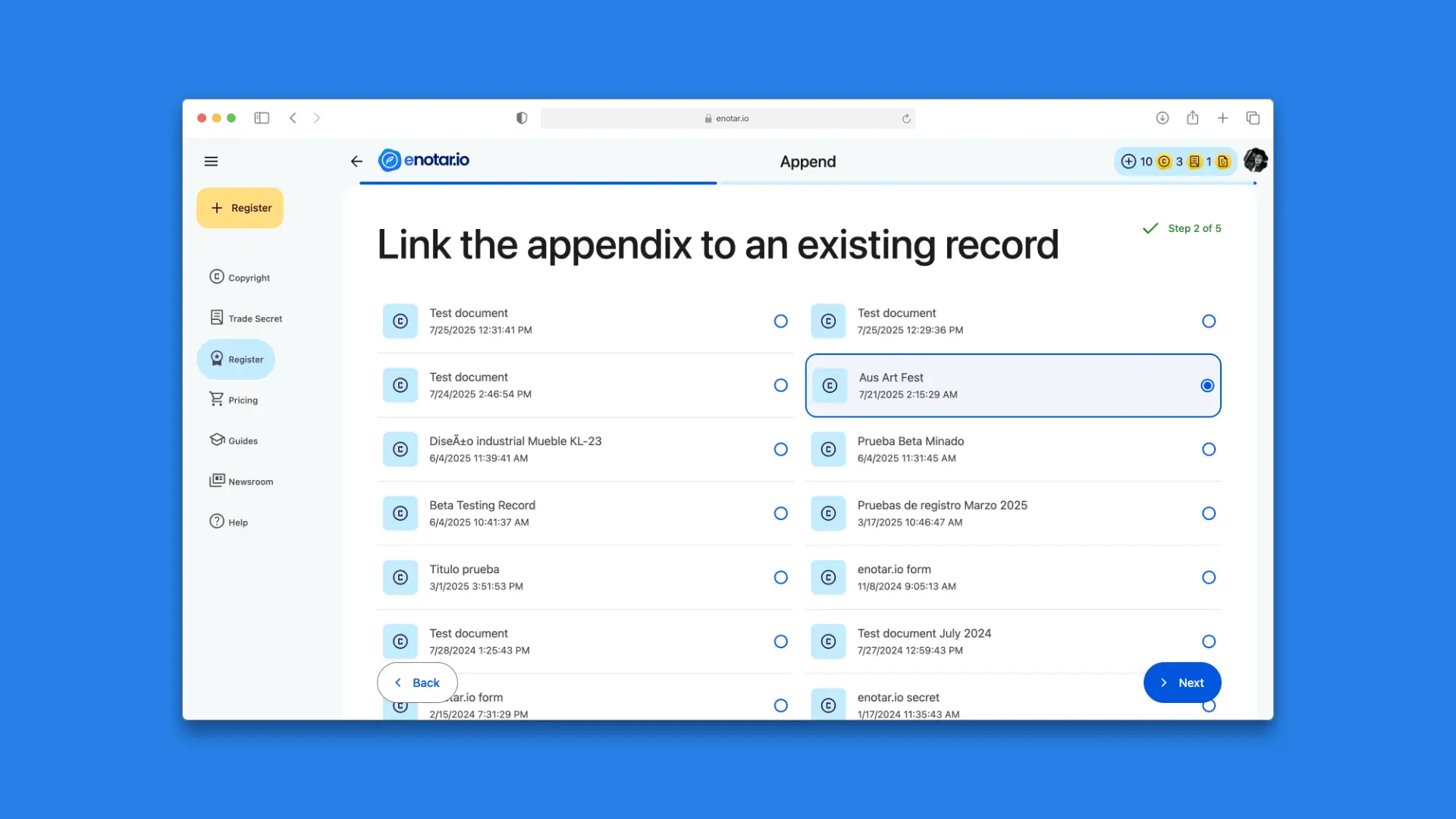
Step 2 of 5 screen (Linking to an existing record)
Step 3 of 5 (File selection)
The file to be attached as an appendix must be selected, either via drag-and-drop or by using the file browser.
Before transmission, the file is locally encrypted.
Only the encrypted version is transmitted and recorded on the blockchain; the original file is never uploaded, ensuring content confidentiality.
Each file generates a unique identifier, enabling future verification without exposing the content.
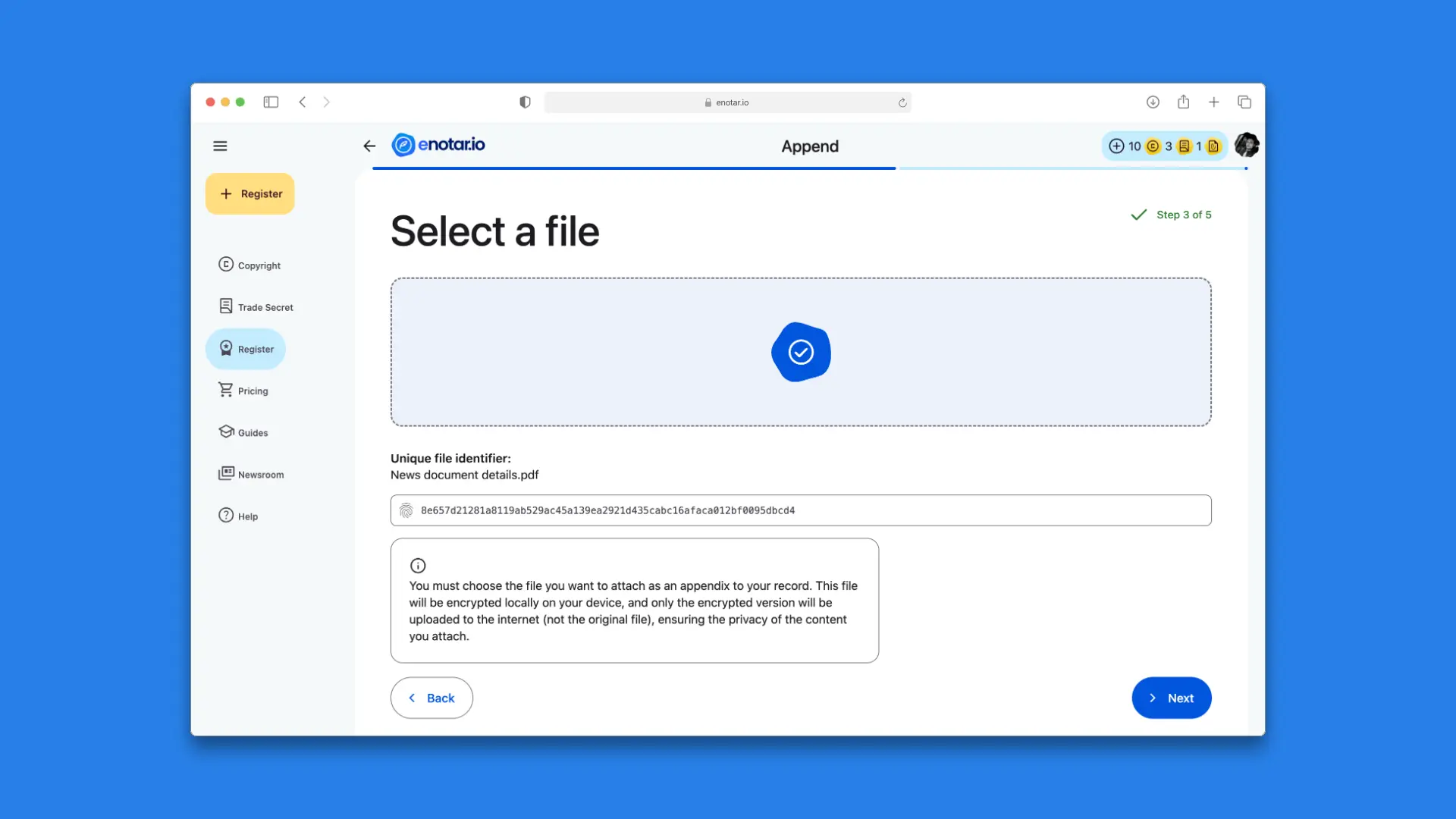
Step 3 of 5 screen (File selection)
Step 4 of 5 (Reference name)
A reference name must be assigned to the appendix to facilitate identification and future consultation.
This name may consist of a word, number, phrase, or brief expression. Inclusion of sensitive information is discouraged, as this field forms part of the descriptive metadata.
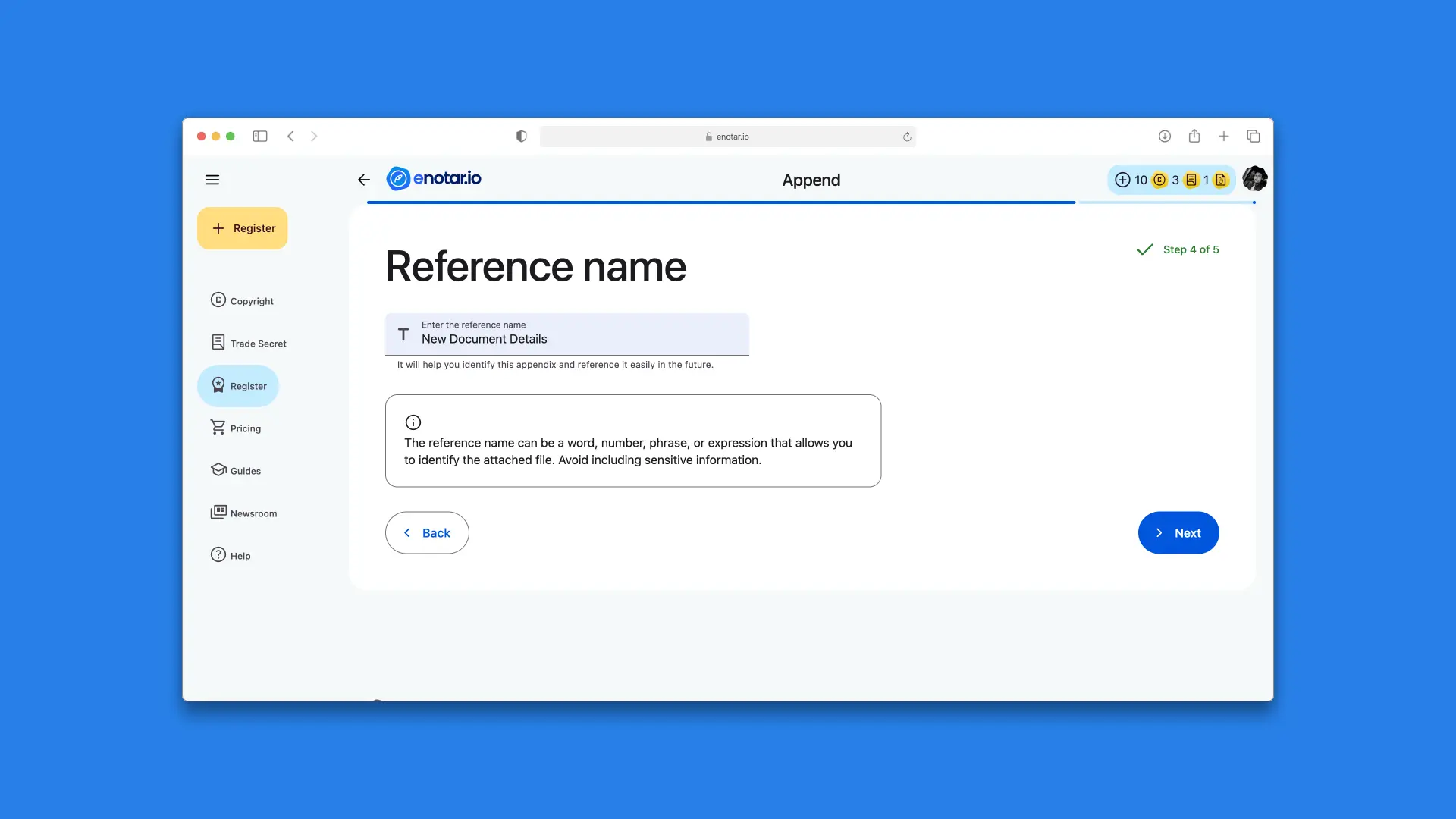
Step 4 of 5 screen (Reference name)
Step 5 of 5 (Review and submit)
Before finalizing the process, the entered information and selected files should be carefully reviewed.
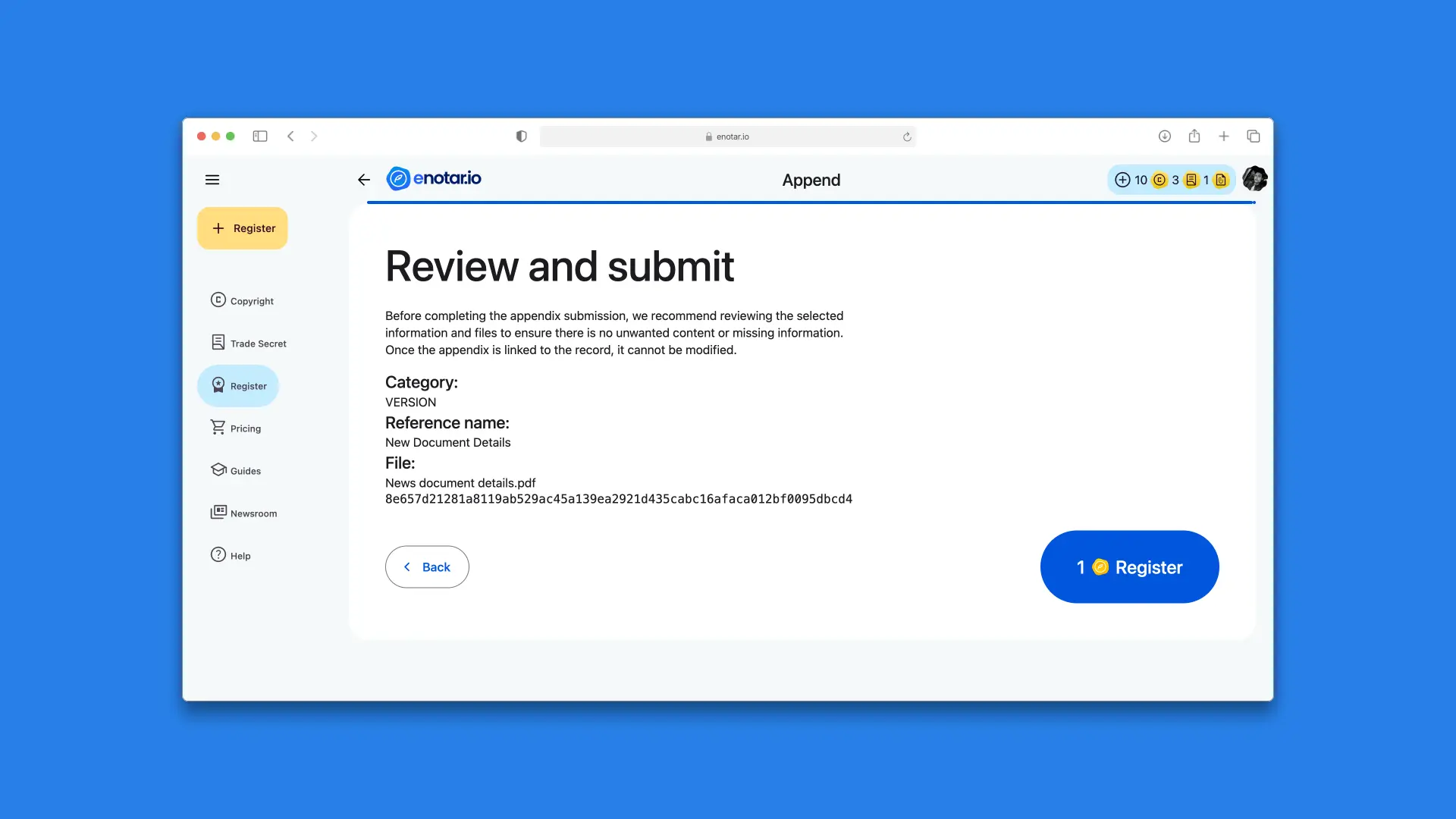
Step 5 of 5 screen (Review and submit)
Once the registration is confirmed:
- The appendix receives its blockchain timestamp.
- It becomes permanently linked to the original record.
- The content cannot be modified thereafter.
This procedure ensures the integrity, traceability, and evidentiary value of the registered appendix.
Successful appendix registration
Once the appendix registration process is successfully completed, a Congratulations page is displayed.
This page presents a summary of the registered appendix, including the reference name, the associated record, and the corresponding blockchain timestamp, along with the most important considerations regarding the immutability and legal value of the registration.
The Congratulations page confirms that the appendix has been correctly processed and permanently linked to the original record, marking the successful completion of the registration flow.
All registered works and their associated appendices can later be consulted in the My Certificates page.

Appendix registration congratulations page